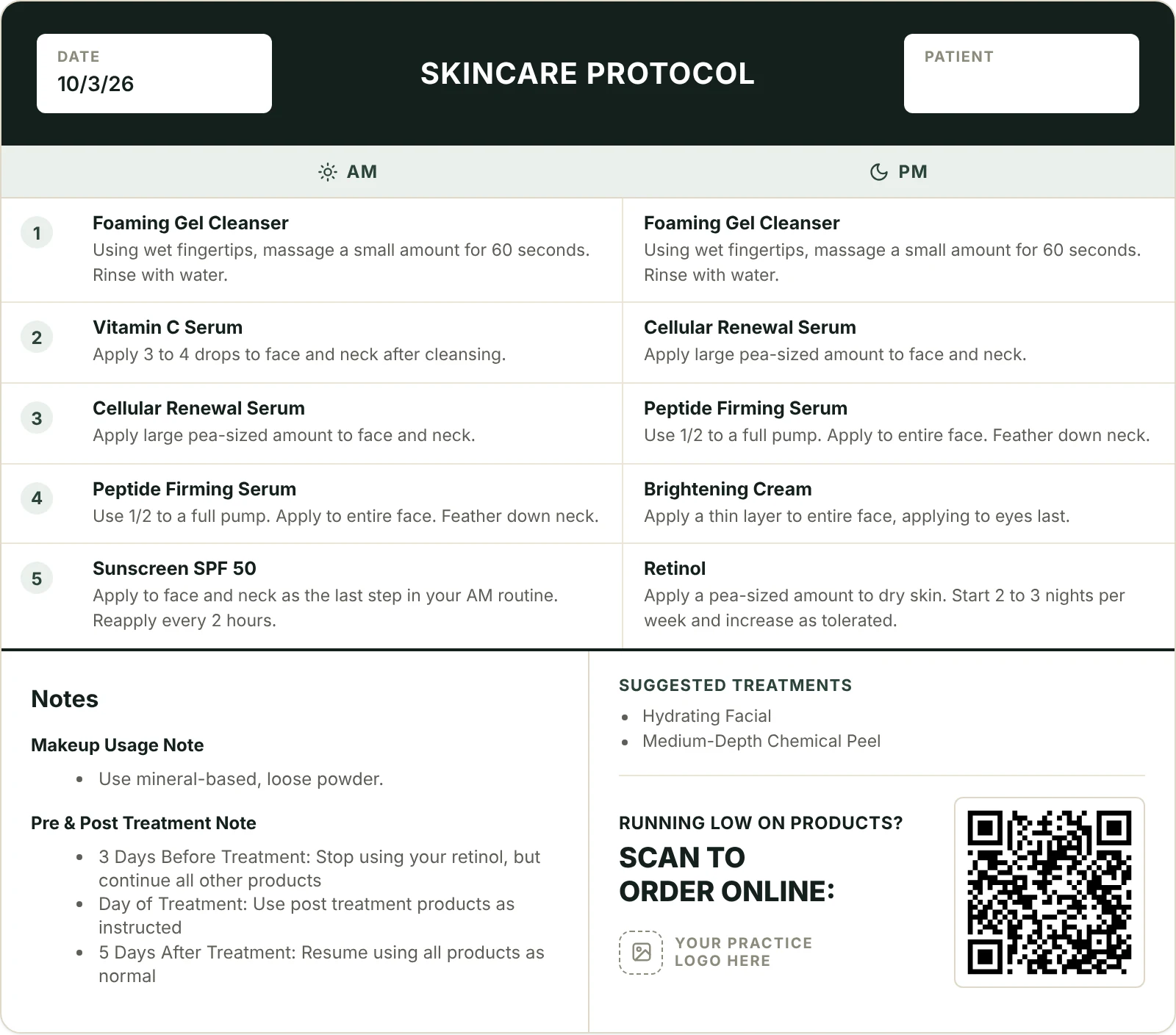
A clear routine before the client reaches the front desk
Setup is quick, and your team can start right after a short walkthrough. Here is what a typical regimen looks like from start to finish.
- 1
Log in from any computer or tablet
There is nothing to install. Your office signs in through the browser, and your branding and products are already loaded.
- 2
Pick products during the consult
Tap products from your catalog. Each one carries its default instructions and AM or PM timing, so the routine builds itself in the right order.
- 3
Fine-tune instructions
Change how often a product is used, rearrange steps, or add a note template for the treatment the client just had.
- 4
Add the client’s name for printing
Type a name so it appears on the sheet. It is used only for that printout and is never saved.
- 5
Print, save as PDF, or email
The client leaves with a clear routine. If you added a QR code, they can reorder from your store when they run low.
- 6
Review trends on the dashboard
See how many regimens your team built, which products come up most, and how often clients scan to reorder.
Onboarding is handled for you
We set up your office, load the products you carry, and apply your logo and colors. Your team gets a short walkthrough and can start building regimens right away.
See it with your own products
Book a 20-minute demo and we will build a sample regimen using products your practice already carries.